Purchasing software: purchase orders, goods receipts and supplier invoices
Prospect's purchasing module follows a purchase from order to goods receipt, supplier invoice, costing and payment. Receipts increase stock in the chosen warehouse, supplier invoices open a payable, and landed costs such as freight and customs are added to the inventory value. It is included in every plan, from 49 € per month per company.
What you can do
- Create purchase orders with agreed quantities, prices, tax and expected delivery.
- Receive goods into a warehouse against the order and see what is still outstanding.
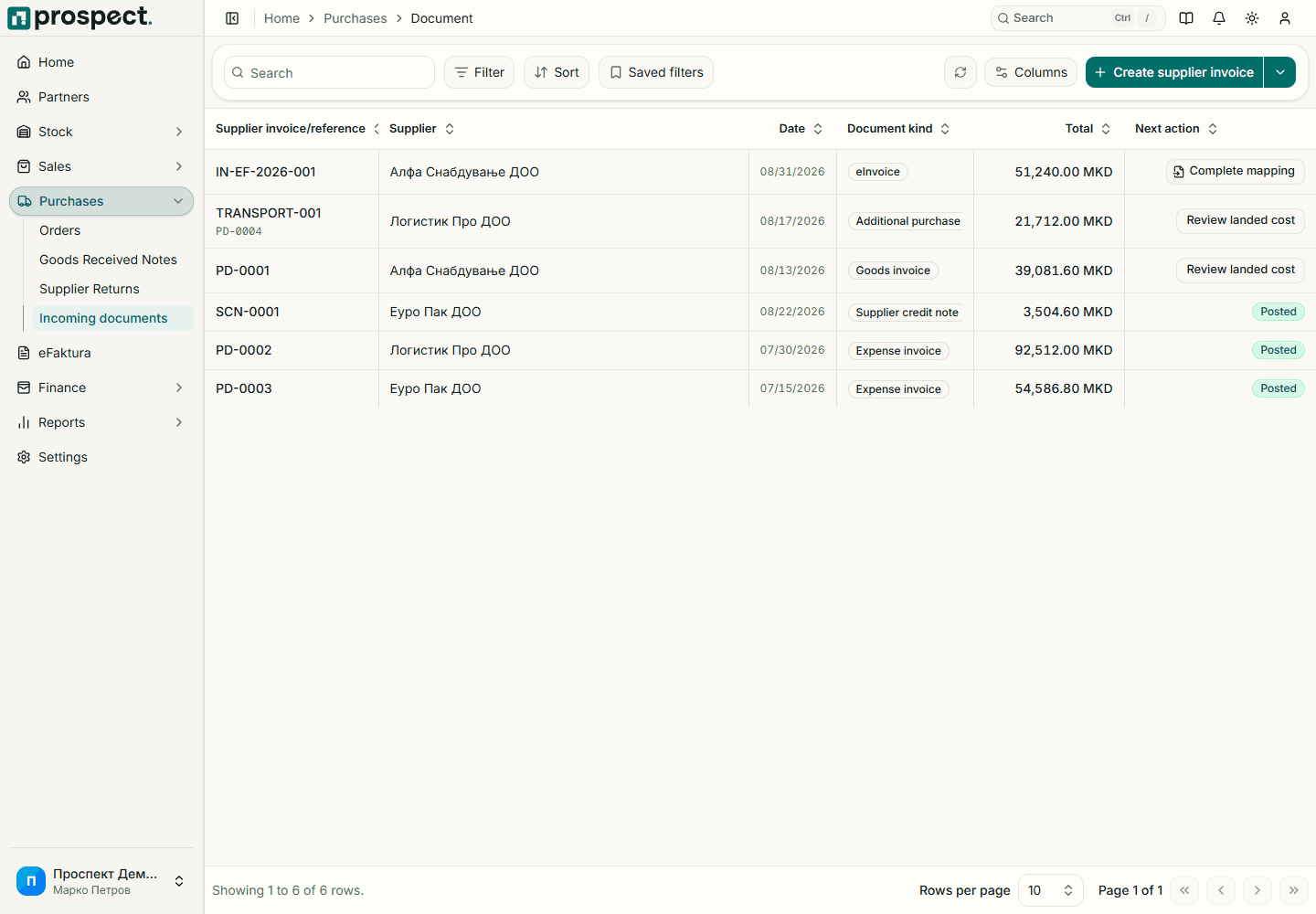
- Record supplier invoices, expenses and supplier credits in one list.
- Link a supplier invoice to received lines, so the same quantity cannot be billed twice.
- Allocate freight, customs and other landed costs to the received items.
- Return goods to a supplier and reduce the liability with a supplier credit.
- Import supplier e-invoices from eFaktura as purchase drafts.
How it works
- 1Read the guide
Create a purchase order
Record the agreed quantities, prices, tax and expected delivery date.
- 2Read the guide
Receive the goods
Publish a goods receipt to the right warehouse. Stock increases and the order shows what remains.
- 3Read the guide
Record the supplier invoice
Enter the supplier's reference and link it to the received lines. Publishing opens a payable.
- 4Read the guide
Add landed costs
Allocate freight, customs and other costs, then finalize the costing to update the inventory value.
Built in Macedonia for Macedonian companies
- Input VAT from supplier documents appears in the operational VAT report by tax rate.
- Supplier e-invoices from the UJP eFaktura service can be imported as drafts.
- Expense categories and tax rates are maintained in your own master data.
- Locked fiscal periods prevent ordinary posting of purchases into closed years.
How it connects to the rest of Prospect
- InventoryA published goods receipt increases stock, and finalized landed costs update the average cost.
- eFakturaInbound e-invoices arrive in the eFaktura inbox and become supplier document drafts.
- Bank statementsEach supplier invoice opens a payable that is settled when you match the outgoing payment from a bank statement.
Prospect compared with spreadsheets and manual work
| Task | Prospect | Spreadsheets and manual work |
|---|---|---|
| Ordered and received | Remaining quantities tracked on the order | Compared by hand |
| Stock after receipt | Increased when the receipt is published | Updated in a separate sheet |
| Item cost | Landed costs allocated to the received items | Freight and customs calculated separately |
| What you owe | Payables and a statement per supplier | A list checked against bank statements |
Frequently asked questions
- Can I receive goods without a purchase order?
- Yes. Direct receipts and expenses are supported when there is no order.
- Does it handle expenses that are not stock?
- Yes. Supplier invoices, expenses and supplier credits share one list, and expenses are assigned to expense categories.
- How are landed costs handled?
- Freight, customs and other acquisition costs are allocated to the received items. Once the costing is finalized, it updates the inventory valuation.
- Can I return goods to a supplier?
- Yes. A supplier return reduces stock, and a supplier credit reduces the liability.
Pricing
Purchases is part of every Prospect plan: 49 € per month or 490 € per year per company, with all modules, eFaktura and multiple users at no extra charge.