eFaktura software for sending and receiving e-invoices in North Macedonia
Prospect connects your sales and purchase documents to North Macedonia's UJP eFaktura service. You sign outbound invoices on your own computer with the Prospect local signer, submit them and follow their UJP status; inbound supplier e-invoices are synchronized and imported as purchase drafts. eFaktura and the local signer are included in every plan at no extra charge.
What you can do
- Send a published sales invoice to eFaktura: prepare, sign, submit and synchronize its UJP status.
- Receive supplier e-invoices: synchronize the inbox, review them, accept or reject where allowed, and import a purchase draft.
- Sign with a certificate on a USB token through the Windows local signer; the private key and the PIN never reach the browser or Prospect.
- Keep the Test and Live environments separate, so a test check never submits a live document.
- Map external partners, items, VAT rates and currencies once and reuse the mappings.
- Run diagnostics that show what is missing before a document is submitted.
- Work from one workspace with the inbox, the outbox and issue counters.
How it works
- 1Read the guide
Configure the connection
Enter the company identity, the environment and the UJP credentials, then run diagnostics.
- 2Read the guide
Install and pair the local signer
Install the Windows signer, plug in the USB token and pair it with your user in Prospect.
- 3Read the guide
Send an invoice
Open the published invoice in the outbox, sign it and submit it. Prospect synchronizes the UJP status.
- 4Read the guide
Process inbound invoices
Synchronize the inbox, resolve the mappings and import the supplier document as a purchase draft.
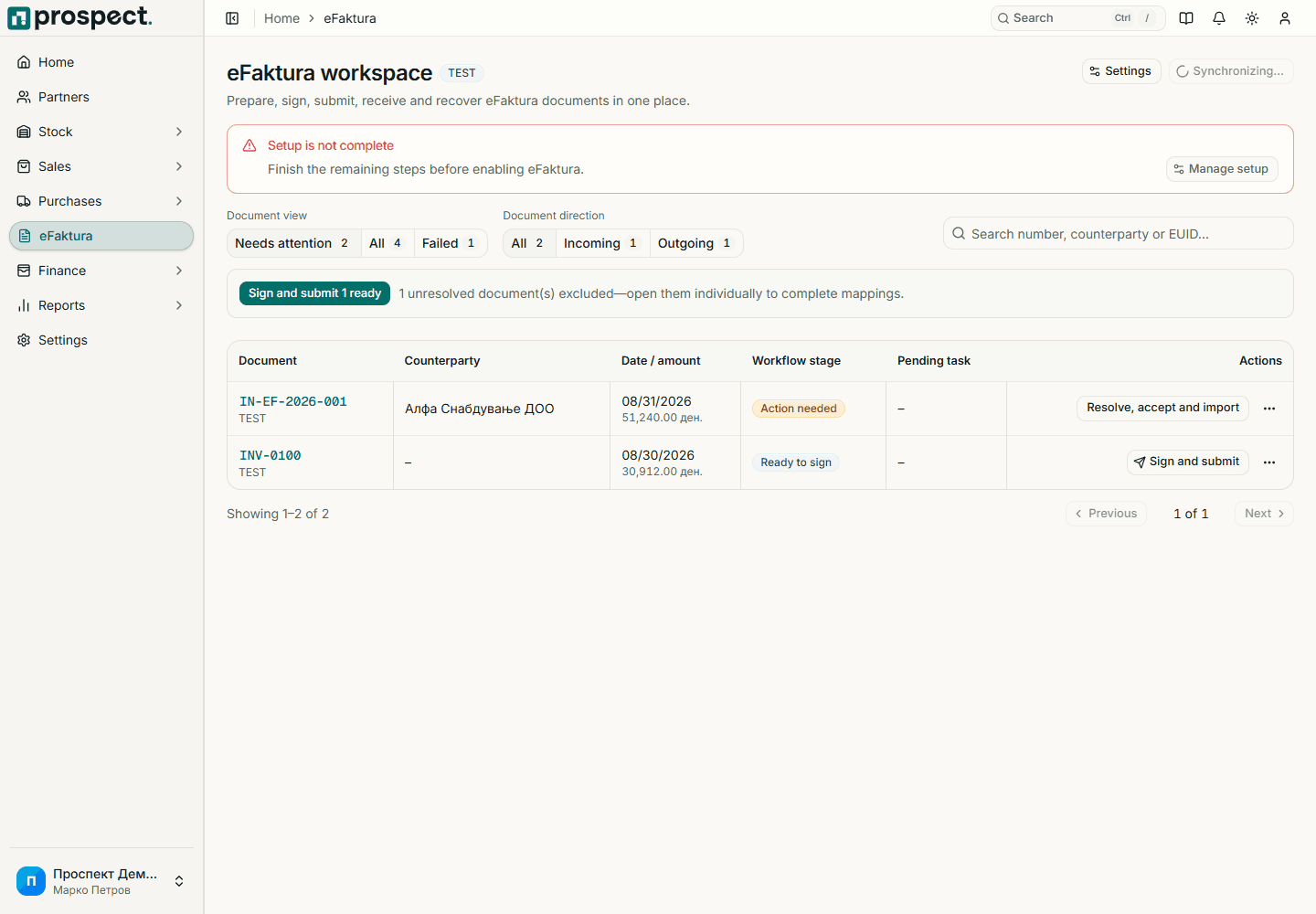
Built in Macedonia for Macedonian companies
- Prospect connects to the eFaktura service of the Public Revenue Office (UJP) of North Macedonia.
- Documents are signed with your own certificate; the private key stays on your USB token.
- UJP remains authoritative for receipt and processing; Prospect shows the synchronized status.
- Setup covers company identity, reference data, credentials, signers and mappings, with diagnostics for each.
How it connects to the rest of Prospect
Prospect compared with spreadsheets and manual work
| Task | Prospect | Spreadsheets and manual work |
|---|---|---|
| Entering the invoice | Created once in Prospect and submitted from there | Typed again into the UJP portal |
| Signing | Local signer on your computer, with the PIN typed in the signer window | A separate step outside the invoicing tool |
| Status | Synchronized UJP status next to the invoice | Checked by hand in the portal |
| Supplier e-invoices | Imported as purchase drafts | Retyped as supplier invoices |
Frequently asked questions
- Does eFaktura cost extra?
- No. eFaktura and the local signer are included in both the 49 € monthly plan and the 490 € annual plan.
- What do I need to start?
- A registered company identity, access to the UJP eFaktura service, a signing certificate, and a Windows computer for the local signer.
- Is my certificate uploaded to Prospect?
- No. The local signer runs on your Windows computer. The private key stays on the token and the PIN is typed in the signer window, never in the browser.
- Does the local signer work on macOS?
- The local signer is available for Windows. The rest of Prospect works in any current browser.
- Can I receive supplier invoices through eFaktura?
- Yes. Prospect synchronizes inbound e-invoices, lets you review and accept or reject them where UJP allows it, and imports them as supplier document drafts.
- Who is responsible for what is submitted?
- You are. Prospect shows the status synchronized from UJP, but you should verify the recipient, amounts, tax treatment and final status of each document.
Pricing
eFaktura is part of every Prospect plan: 49 € per month or 490 € per year per company, with all modules, eFaktura and multiple users at no extra charge.