Sales, VAT, receivables and stock reports
Prospect's reports show revenue, purchases, expenses, VAT, receivables and stock from the documents you have already published. Each report has period, partner, item or warehouse filters, opens the source document behind a row, and exports to CSV. Reports are included in every plan, from 49 € per month per company.
What you can do
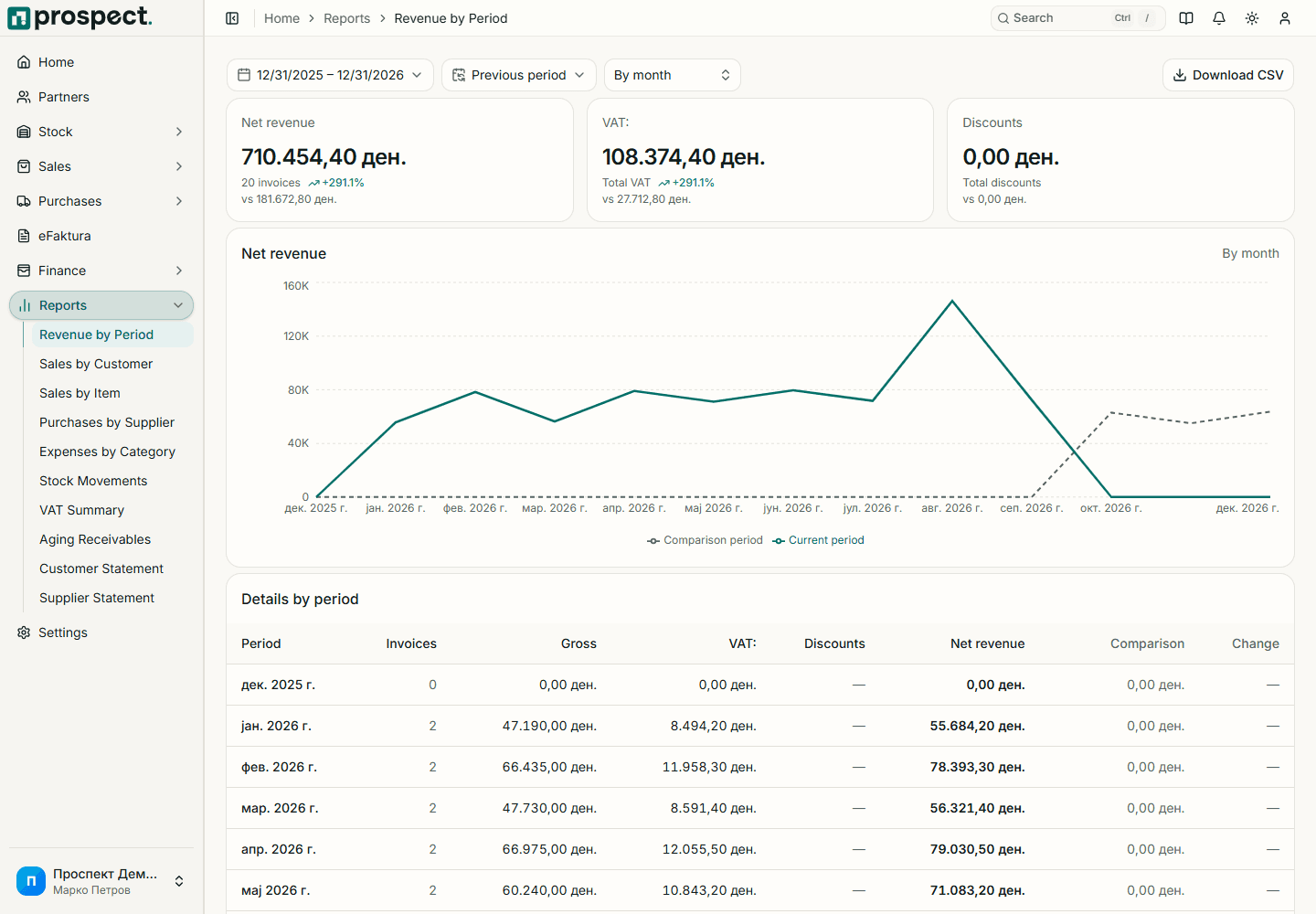
- Revenue by period, customer and item, compared with the previous period.
- Purchases by supplier and expenses by category.
- Receivables aging by how long amounts are past due.
- Customer and supplier statements with a running balance.
- An operational VAT report with input and output VAT by tax rate.
- Stock movement and stock valuation reports per item and warehouse.
- Drill-down from a row to the partner, item or source document.
- CSV export of the filtered view.
How it works
- 1Read the guide
Choose a report and a period
Pick the report and set the from and to dates.
- 2Read the guide
Filter and open the source
Narrow by customer, item or warehouse, and open the document behind any row.
- 3Read the guide
Review VAT and receivables, then export
Check the VAT and aging totals and export the filtered view to CSV for your accountant.
Built in Macedonia for Macedonian companies
- The VAT report separates output VAT from sales and input VAT from purchases by tax rate.
- Reports are operational: Prospect does not file VAT returns or keep statutory books, and your accountant remains responsible for filing.
- Only published documents count; drafts are left out of the totals.
- The accounting export hands balanced data to your accountant's system.
How it connects to the rest of Prospect
Prospect compared with spreadsheets and manual work
| Task | Prospect | Spreadsheets and manual work |
|---|---|---|
| Preparing a report | Ready from the published documents | Built by hand from several files |
| Checking a number | Open the source document from the row | Search for the original invoice |
| VAT overview | Input and output VAT by rate for any period | Summed by hand from invoice lists |
| Overdue customers | Aging report by due date | Checked invoice by invoice |
Frequently asked questions
- Which reports are included?
- Revenue, customer and item sales, purchases, suppliers and expenses, receivables aging, customer and supplier statements, VAT, stock movements and stock valuation.
- Can I export reports?
- Yes. Every report exports the filtered view to CSV.
- Does Prospect file my VAT return?
- No. The VAT report is an operational overview of input and output VAT. Your accountant remains responsible for classification, statutory books and the return.
- Why did a total change after I exported it?
- Totals follow the documents. A backdated document, credit note, cancellation, payment or costing posted later changes the report for that period.
- Who can see reports?
- Owners and administrators, and members who have the Reports permission.
Pricing
Reports is part of every Prospect plan: 49 € per month or 490 € per year per company, with all modules, eFaktura and multiple users at no extra charge.