Partners
Contacts, Notes, Tasks, and Partner Activity
Keep lightweight customer and supplier follow-up alongside the operational record.
Partner workspace
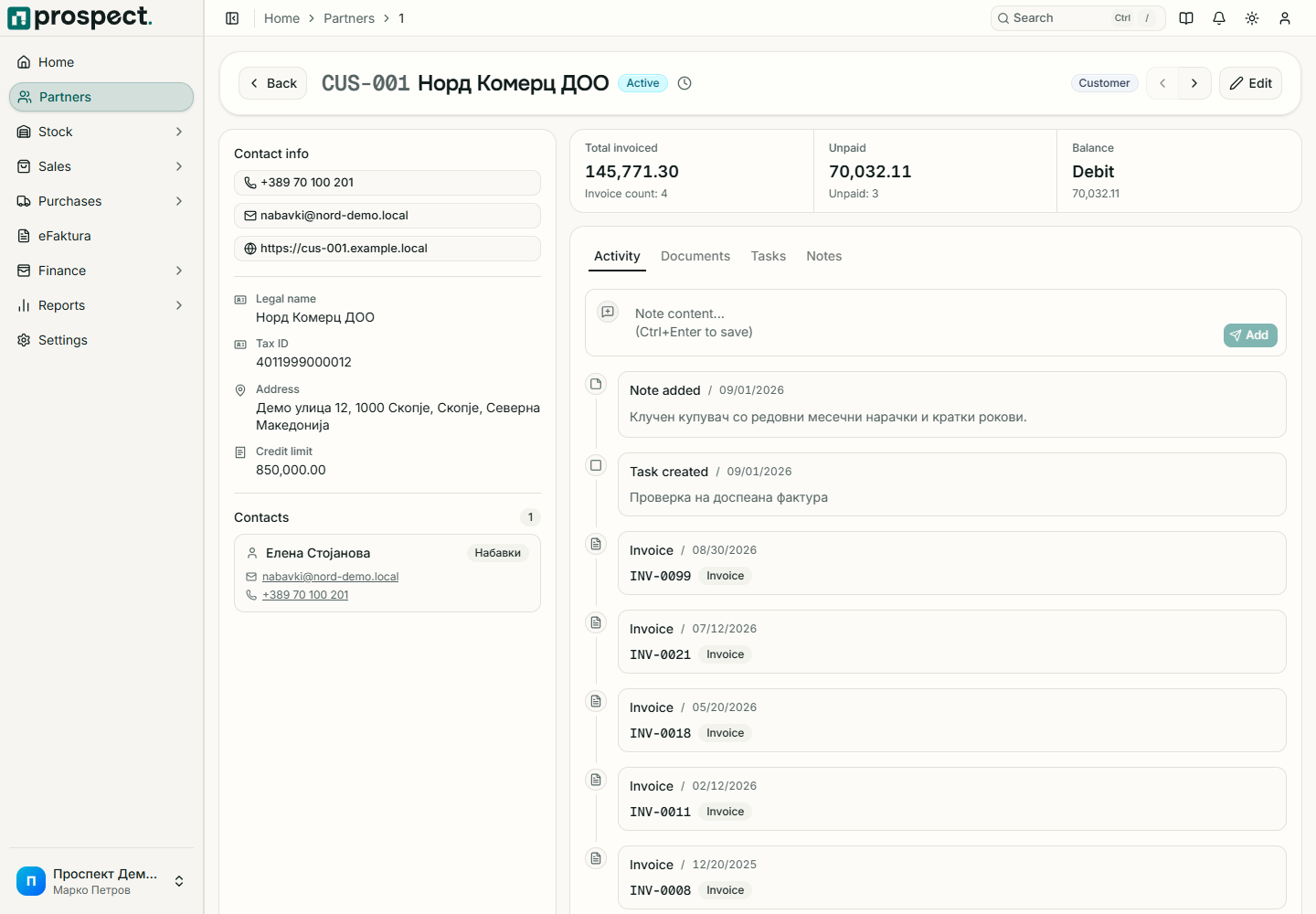
Open a partner to manage its relationship history. Prospect provides lightweight contact tracking; it is not a campaign or sales-automation CRM.
Available records
- Contacts store a person's name, role, email, phone, and primary status.
- Notes capture dated relationship context visible to permitted company users.
- Tasks have an assignee, due date, priority, and completion state; due tasks can appear on the dashboard.
- Documents and balance link the partner to sales, purchases, payments, and open items.
- Activity records important mutations with actor and time.
Open Partners, select the partner, and choose the relevant tab.
Add concise, business-relevant information without passwords, payment-card data, certificates, or unnecessary personal data.
For a task, select an owner and realistic due date, then update its state when complete.
Use the partner timeline to understand who changed operational records. Use the company-wide Activity log when you need filters across modules.