Finance
Reconcile Bank Lines
Match imported bank activity to open items, confirm allocations, and reverse incorrect matches.
Bank reconciliation
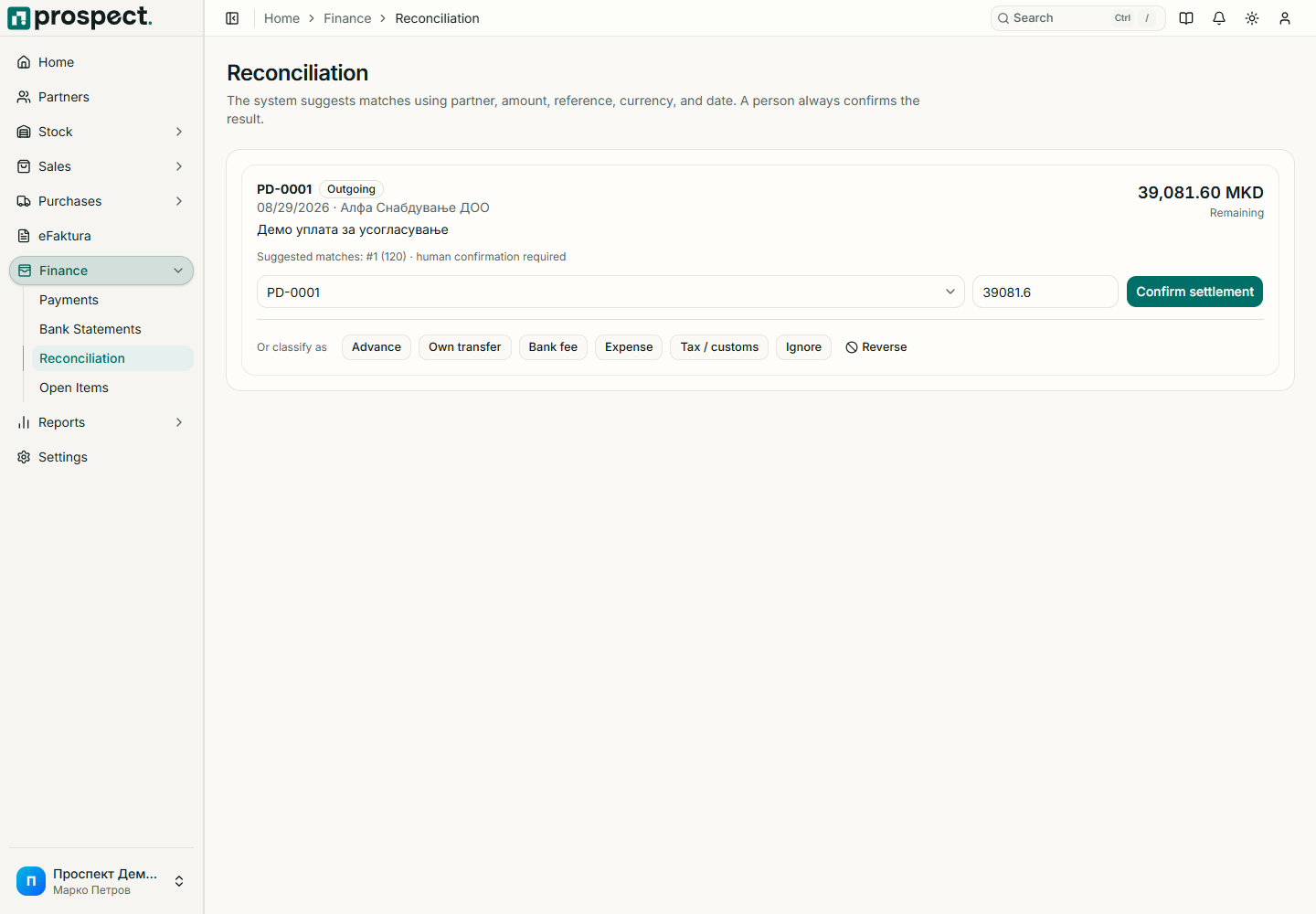
Open Finance → Reconciliation and select an unmatched bank line.
Review the suggested partner and candidate open items; search manually when the reference is ambiguous.
Allocate the bank amount across one or more eligible items without exceeding either outstanding balance or line amount.
Confirm with the Reconcile permission and verify the created money transaction.
Use the supported reverse action when the wrong partner or document was matched. Reversal restores the bank line and open-item balances while keeping the audit record. Never delete or recreate source commercial documents merely to change a bank match.